Walkthrough
The whole product, in five screens.
These are real screenshots of the workspace, not illustrations or a mock-up. The account is a sample one — Northbridge IT Partners, with fictional leads — filled in through the same import, drafting and outcome-recording paths a client uses.
There is no live demo to click through, and no recording to watch. If you want to talk through a screen, ask by email and a person will answer.
01The workspace
Every lead you already have, in one list
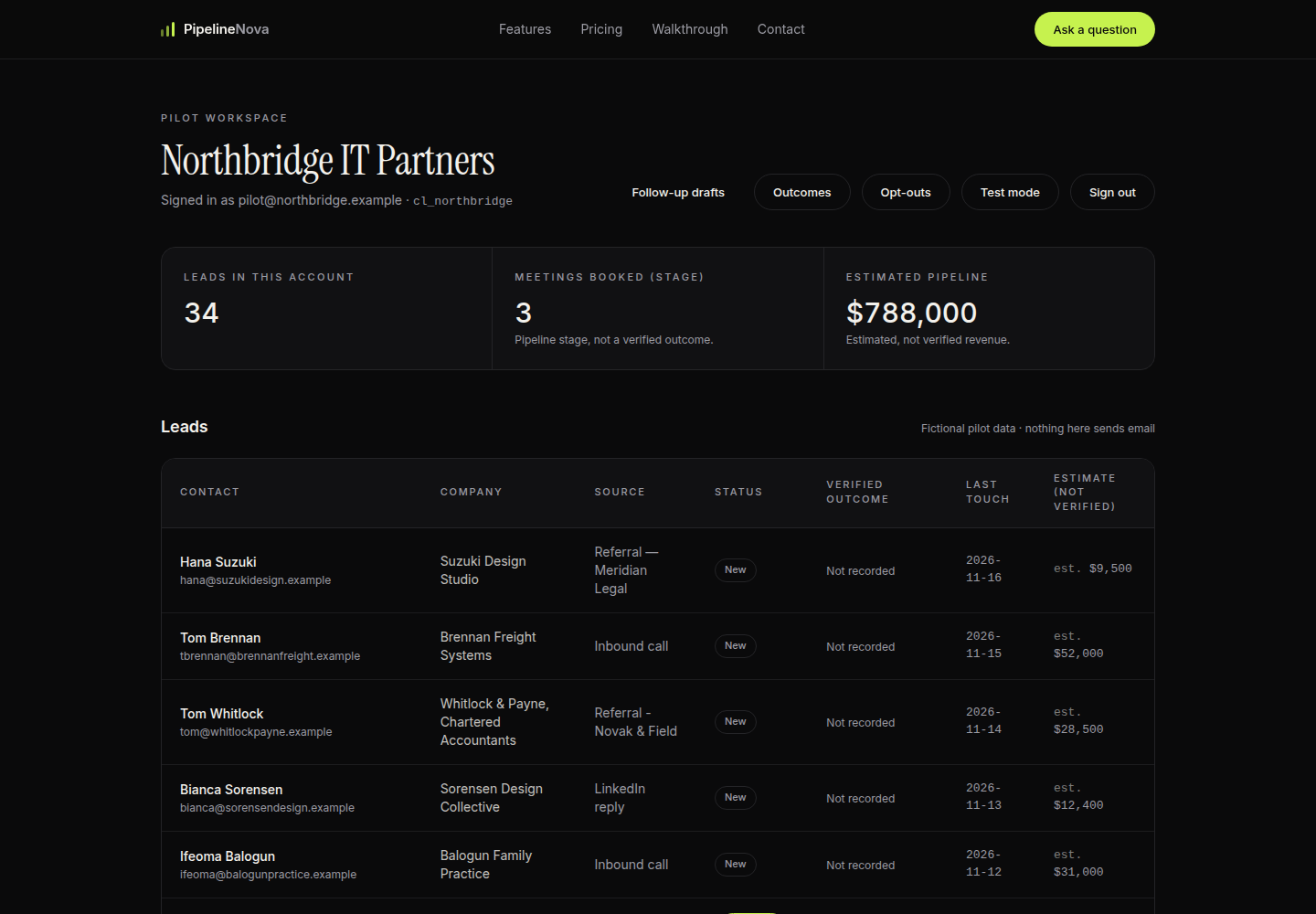
This is the account as a client sees it after their list is imported. Each row is one lead with a contact, a company, where it came from, its status, and the date of the last contact.
The two figures at the top are kept deliberately apart: 34 leads counted directly from the list, and an estimated pipeline of $788,000 that is labelled as estimated everywhere it appears. No outcome recording ever changes that estimate.
02Follow-up drafts
Every draft waits for a person to approve it
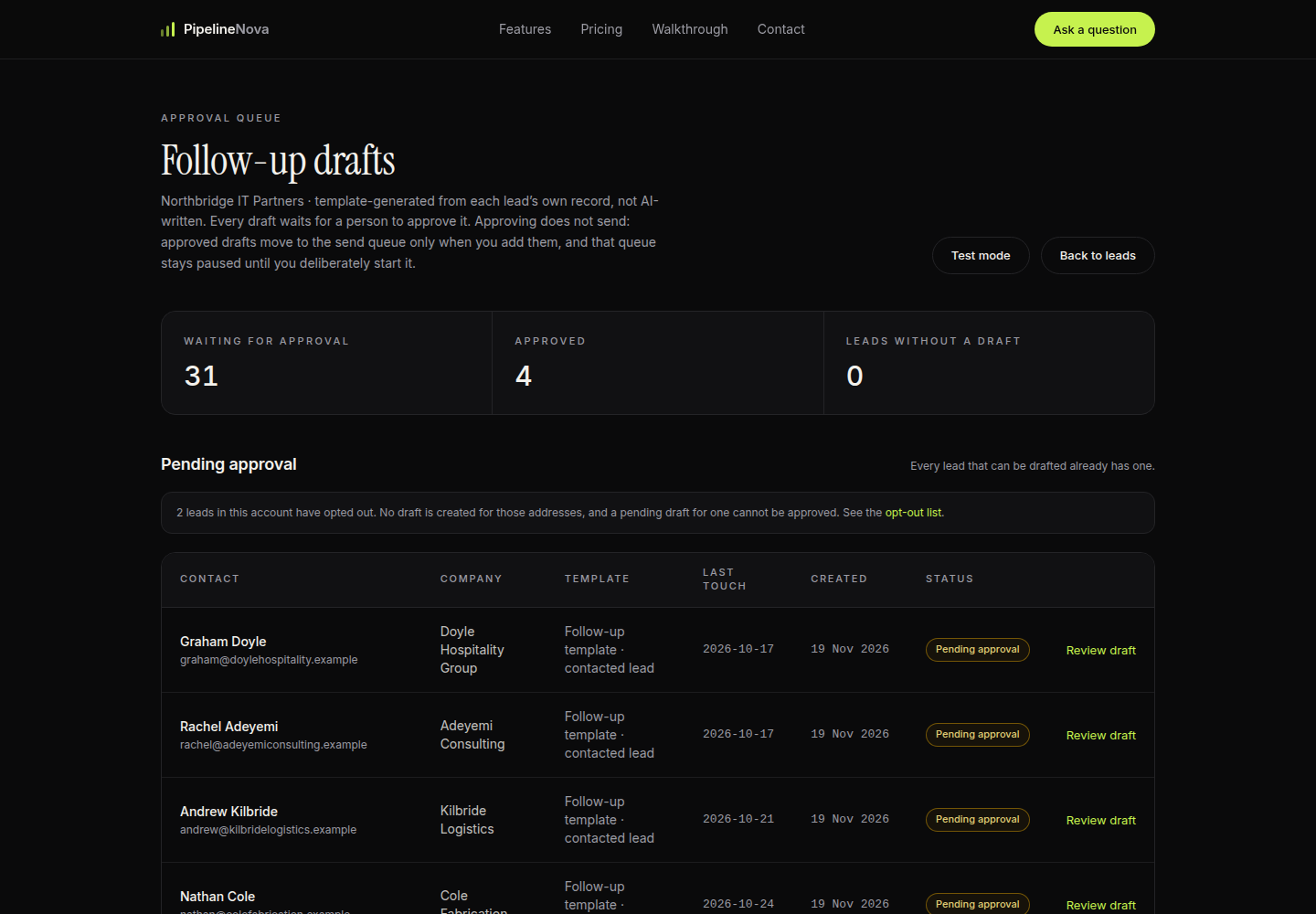
Each lead gets one drafted follow-up, filled from that lead's own record. Nothing is written by a language model, and nothing leaves the account until a human approves it.
The counters are the honest ones: 31 drafts waiting for approval, 4 already approved, 0 leads without a draft. The note above the list is not decoration — two addresses in this account have opted out, so no draft exists for them, and one cannot be approved.
The queue shown here is paused in test mode with a $0 spending cap and one allowlisted recipient — the defaults, not a demonstration of bulk sending.
03One draft
You can see where every sentence came from
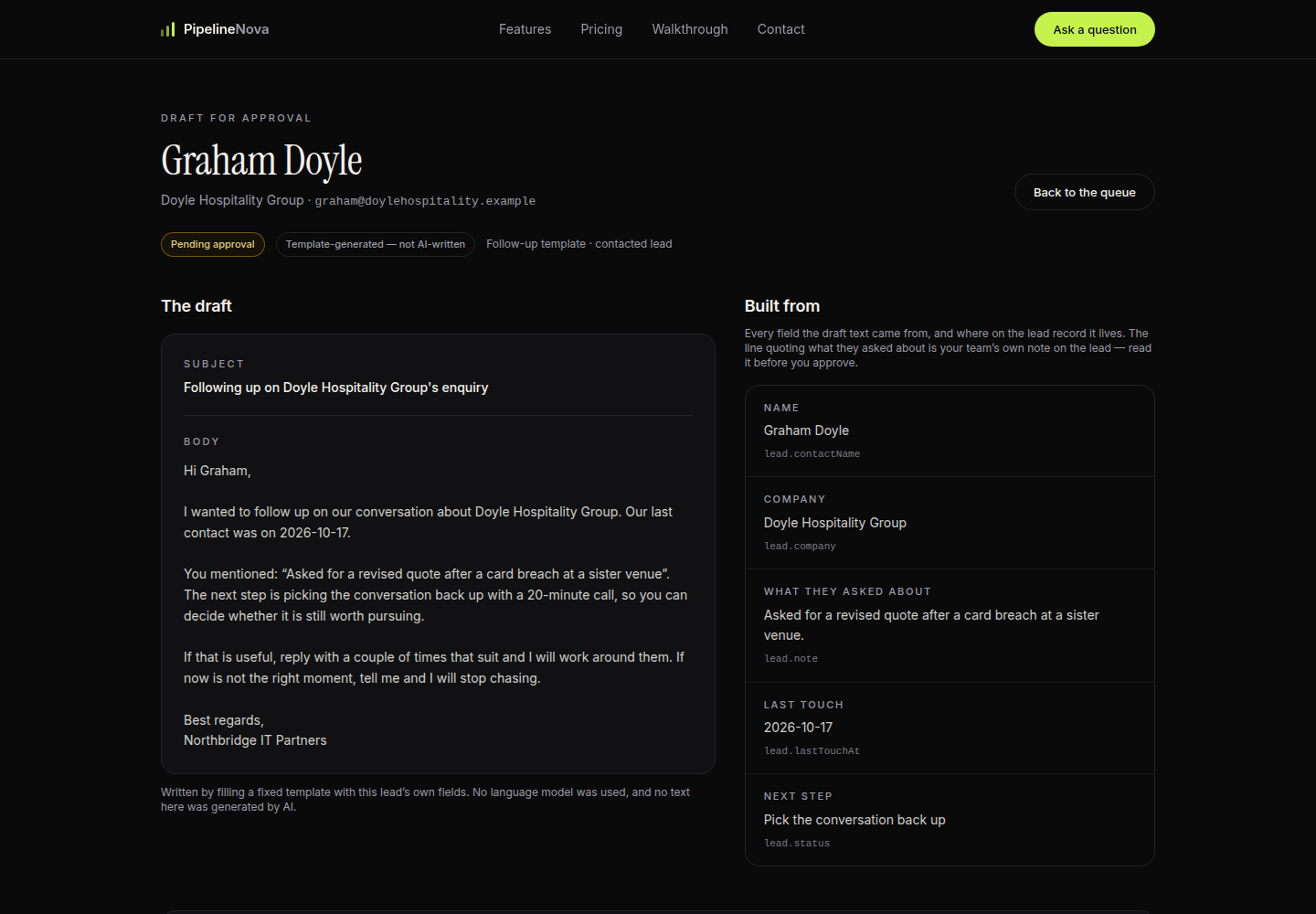
Opening a draft shows the subject and body on the left, and on the right the exact lead fields each part was built from — name, company, what they actually asked about, last touch date, next step.
That is the whole point of a template: nothing in the email is invented. If a field is wrong, you fix the record, and the draft is rebuilt from it.
04Outcomes
Verified results, kept away from the forecast
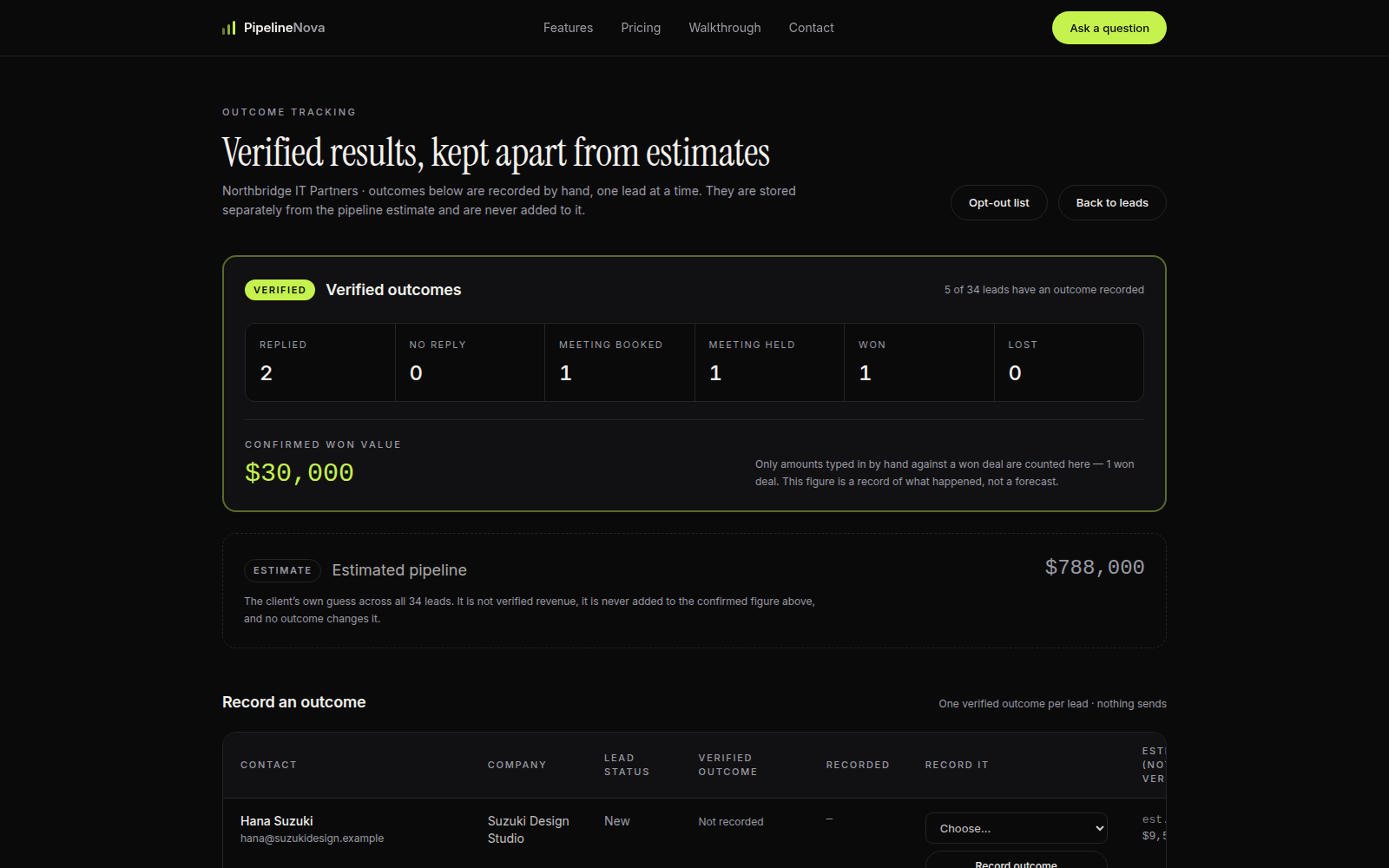
Outcomes are recorded by hand, one lead at a time: replied, no reply, meeting booked, meeting held, won, lost. Each one stores who recorded it and when.
The verified block at the top only counts what a person confirmed — here 2 replies, 1 meeting booked, 1 meeting held and 1 win worth $30,000. The $788,000 estimate sits below it in its own panel, and recording an outcome never touches it.
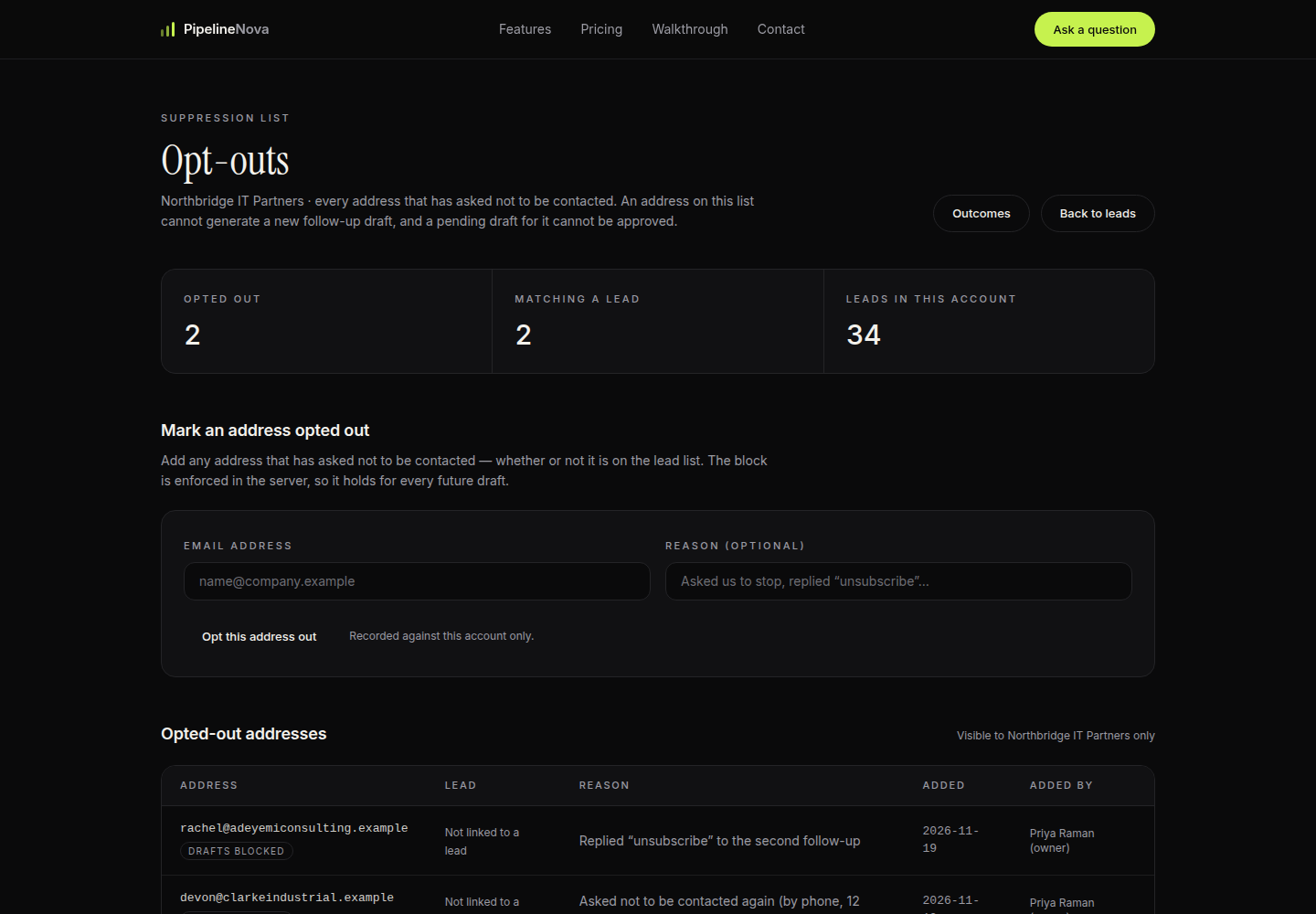
05Opt-outs
An opt-out is enforced in the server, not the screen
Any address that asks not to be contacted goes on this list, with the reason and who added it. Two addresses are on it in this account.
The rule is enforced where it matters: an opted-out address cannot generate a new draft, is skipped by a bulk run, and cannot have a pending draft approved. The list is visible only to the account it belongs to.
Questions
Ask about any screen you just saw.
Email us with the step number and what you want to know — how a draft is built, what counts as verified, or what happens when a prospect opts out. A person answers, not a form letter.